Manual Activity
This guide describes how to create and modify manual activities in Fenerum.
Manual activity
An activity is an action on a subscription that might result in MRR change. All regular activities are generated by Fenerum in response to some user actions like creating a new subscription or updating a quantity.
A manual activity is a special type of activity that is created manually by a Fenerum user. It allows you to reflect the state of the subscriptions prior to the start date in Fenerum.
Create manual activity through UI
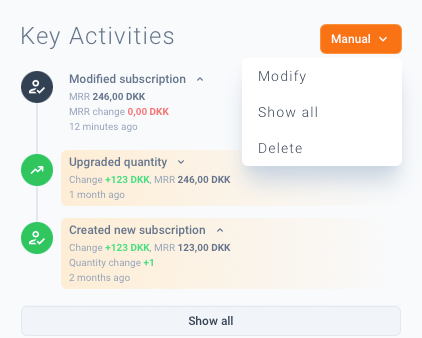
To create a new manual activity first go to the subscription details page, then click on the orange Manual button and then click Add.
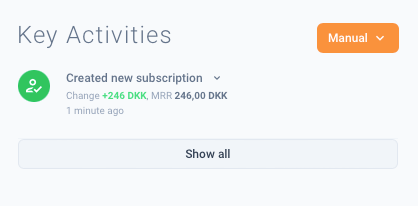
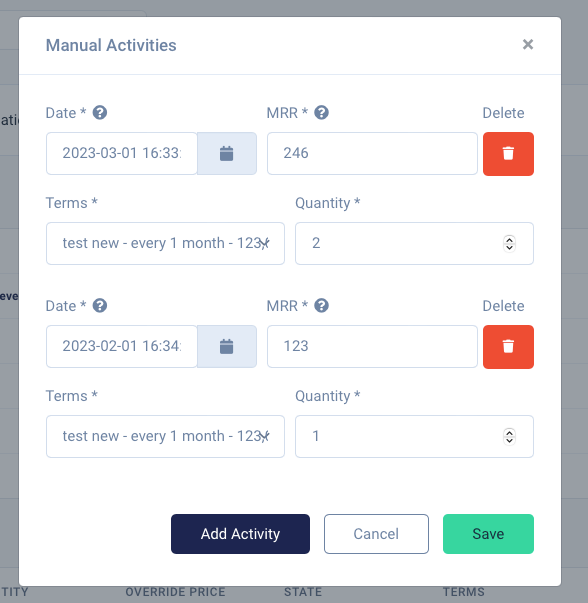
Then you will have an option to add multiple activities that will reflect the state of the subscription prior to the start date in Fenerum. You cannot add a manual activity with the date after the subscription start date in Fenerum.
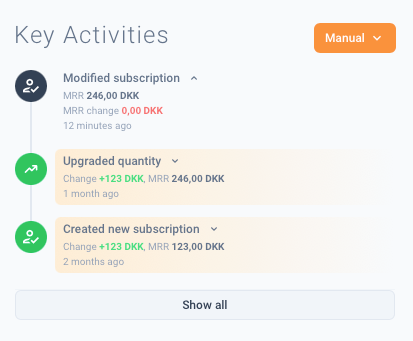
After clicking save you will see your newly generated activities in the key activities section. They will be marked as yellow to indicate that they are manual activities.
Modify manual activity through UI
You can modify / add / delete a manual activity at any time when you click Modify button.