Import Transactions
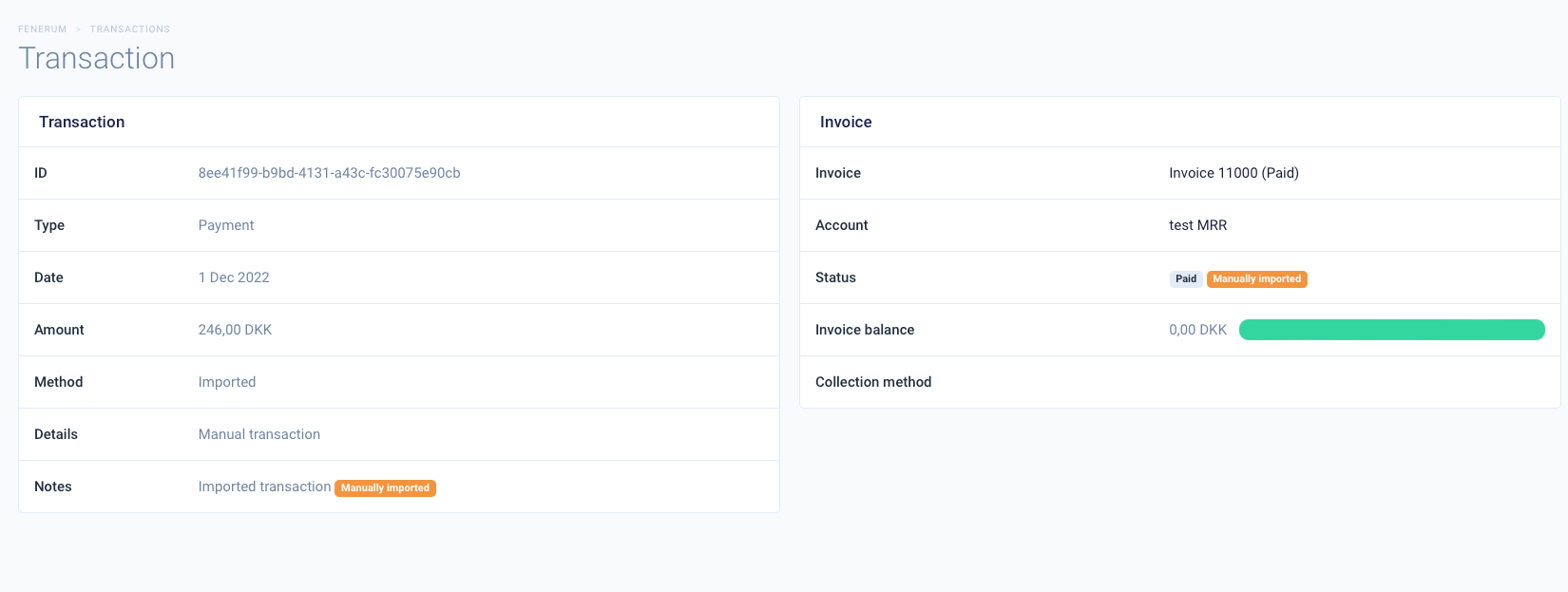
This article covers how to import transactions to Fenerum. This allows you to import transactions for manually imported Invoices.
Import transactions
You also have an option to import transactions to Fenerum. You could possibly have some partial transactions on invoices that you would like to track, or you want to mark some invoices as paid.
We will update the status of the invoice accordingly to the transaction that you import. So for example if you would import a transaction that would equal or exceed the invoice total we would switch the invoice to paid.
First go to the Import data section. Click on the File format descriptions button. Then go to the Transaction tab and click Get example file. Add transactions that you want to import to Fenerum and save the file.
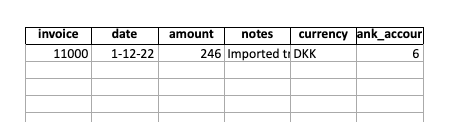
Then go back to the Import data section and select Transaction as the type of import and upload the file with transactions. Imported transactions will have a Manually imported badge, so you can clearly differentiate them from transactions coming from Fenerum.