Leverandørservice unassigned mandates
Learn how to handle unassigned Leverandørservice mandates.
What are unassigned mandates?
Unassigned mandates are new/active mandates reported by Leverandørservice to Fenerum that can not be assigned to any account. Reason for that may be creation of those mandates before Fenerum become supplier of your organization or creating them without starting process in Fenerum.
Notification about unassigned mandates
When some unassigned mandates are registered in Fenerum organizations members will be notified about it in two ways. Firstly in Fenerums user interface new message will be shown in notification space:

Secondly if there is any unassigned mandates new paragraph will appear in daily notification email:
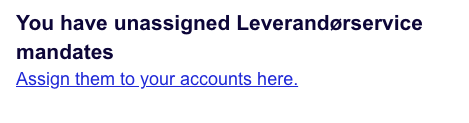
Managing unassigned mandates
To manage unassigned mandates you need to go to unassigned mandates page. You can get there by clicking link in notification message or in daily notification email. Also on integrations settings page there will be button which will take you to management page.
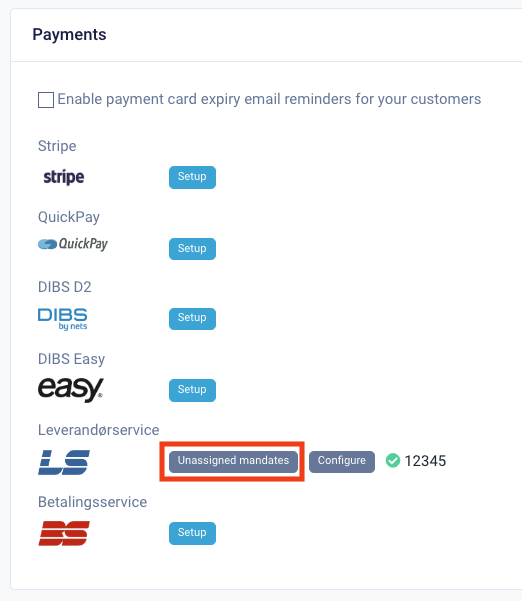
Management page
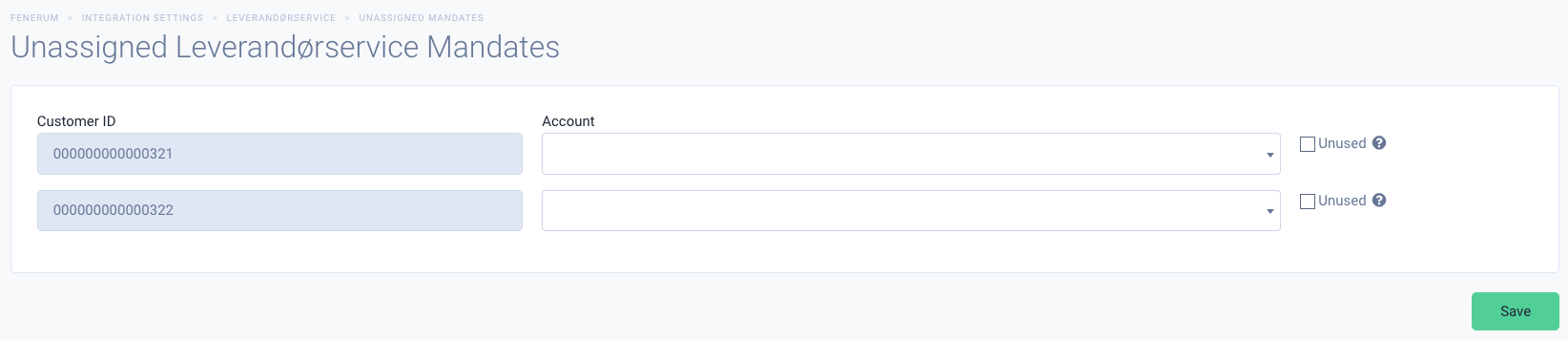
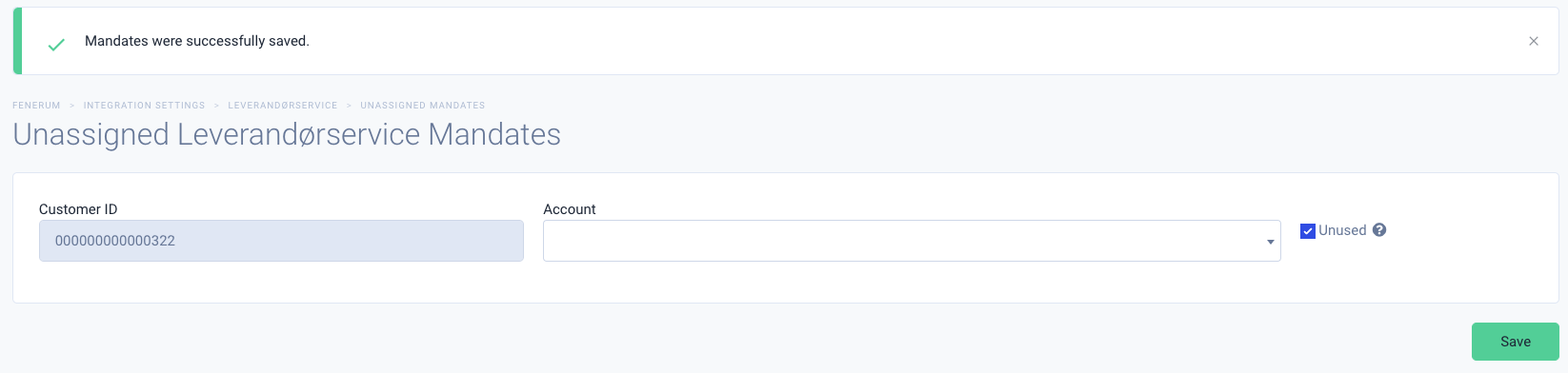
On this page you can assign mandate with shown customer ID to chosen by you account. Remember you can only assign mandate to account without one and with origin country of Denmark.
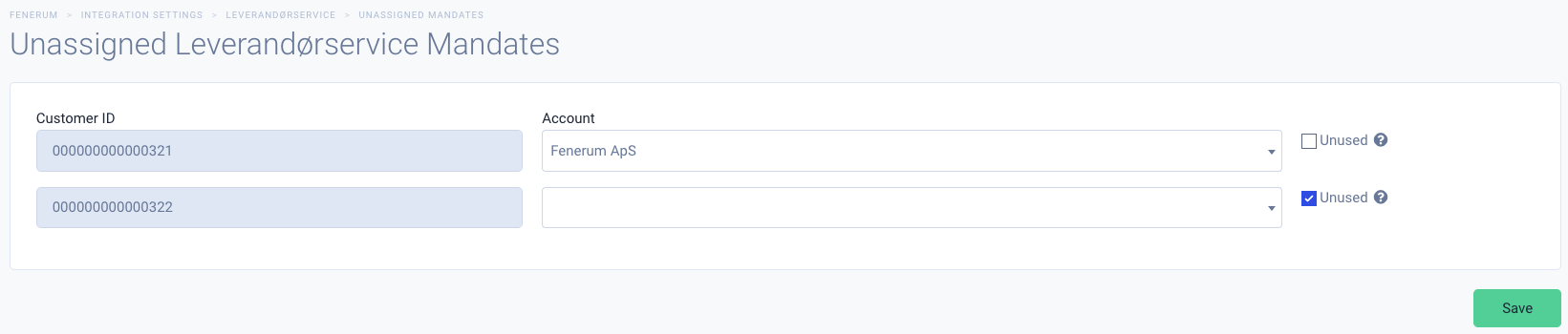
If you do not want to assign some mandates to accounts, but also do not want to be notified about them being unassigned you can mark them as unused. You will be able to get back to them later.
Automatic matching
Use the Schedule automatic matching button at the top of the unassigned mandates page to let Fenerum try to match the current list of unassigned mandates to accounts on its own.
Fenerum looks for a unique active Danish account whose configured customer identifier (CVR or account code) matches the mandate's customer ID. If exactly one account matches, the mandate is assigned automatically. If no account matches, or if more than one account shares the same identifier, the mandate stays in the list and the reason is shown next to it.
Matching runs in the background — refresh the page after a moment to see the result.
You can also enable Automatically match unassigned mandates on the Leverandørservice integration settings to have Fenerum run matching automatically every time new mandates arrive.